skip to content
Menu
sndwch$19 USD
The sndwch window: peak and RMS meters at both ends, trim faders between them, and the gain rows for left, right, mid and side.

PluginAny VST3 host

sndwch

Wrap one plugin. Hear what it does.

$19 USDexcl. tax where applicable
Try free for 7 days

Windows 10/11, VST3, 64-bit. The demo runs 7 days on each computer. One licence covers 3 computers. The demo is the same installer as the paid version, so a key turns it into the full version.

What it is, in one paragraph.

Put sndwch on a track, then the plugin you actually want to judge, then sndwch again. The first one adds gain. The second takes exactly the same amount back out. Push the plugin as hard as you like: the level going past it does not move, so what reaches your ears is the processing and not the volume. sndwch does nothing else, and that is the point.

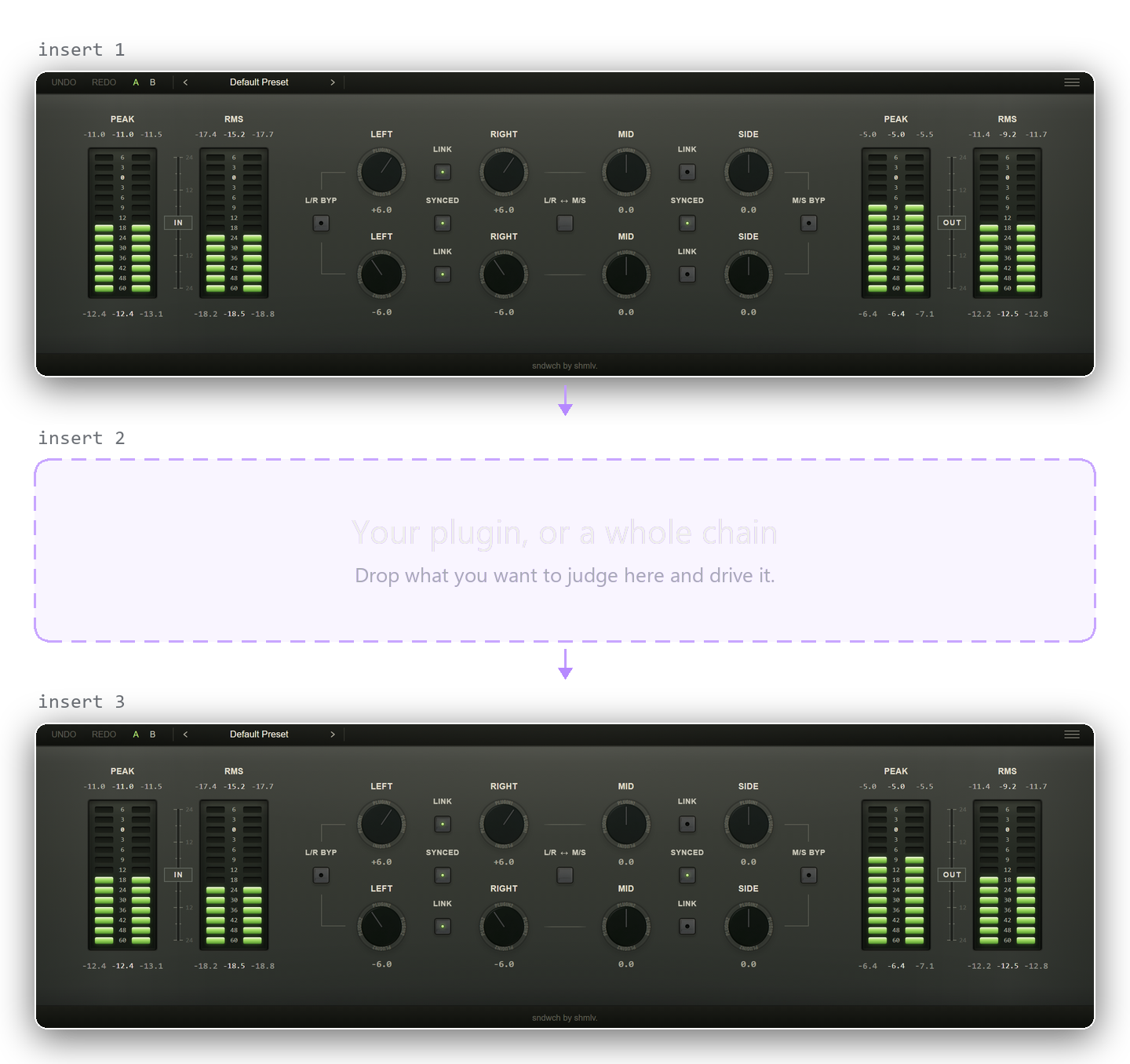
Three inserts stacked: sndwch, then a dashed empty slot labelled your plugin or a whole chain, then sndwch again, with the signal flowing downwards.

How it actually works.

Two instances, one number

Insert sndwch, then the plugin you want to hear, then sndwch again. Set the gain on the first one. The second takes the same amount back out. Whatever sits between them is covered, so a whole chain works the same way, and there is nothing else to set up.

They find each other on their own

The first instance you insert becomes P1, the half that adds the gain — its knobs are the row marked Plugin 1. The second becomes P2 and takes the gain back out. There is no routing to draw and nothing to link by hand: the two connect automatically, and until the partner shows up the button between the rows reads Searching. A fresh pair also picks a free group by itself, so several pairs can live in one session without ever finding the wrong partner — and if you want to decide who pairs with whom, choose a group from the menu on both ends.

Now drive it

Push the compressor until it is doing far too much. Push the saturator until it falls apart. The level coming out of the pair stays where it was, so what reaches your ears is the processing and not the volume. Then back it off until it is doing the right amount.

Why louder wins

Turn anything up slightly and it does not sound louder, it sounds better. That is how hearing works, and it is not a lapse in concentration. Every compressor, saturator, clipper and limiter gets louder as you push it, which is the exact moment you need to judge it honestly.

The one thing it cannot do

sndwch takes out exactly what it put in. It has no idea what the plugin did in between, so if you raise that plugin's own output or makeup gain, that gain is still in the signal and you are being fooled again. Leave those where they are while you listen.
Every control, and what it is for.

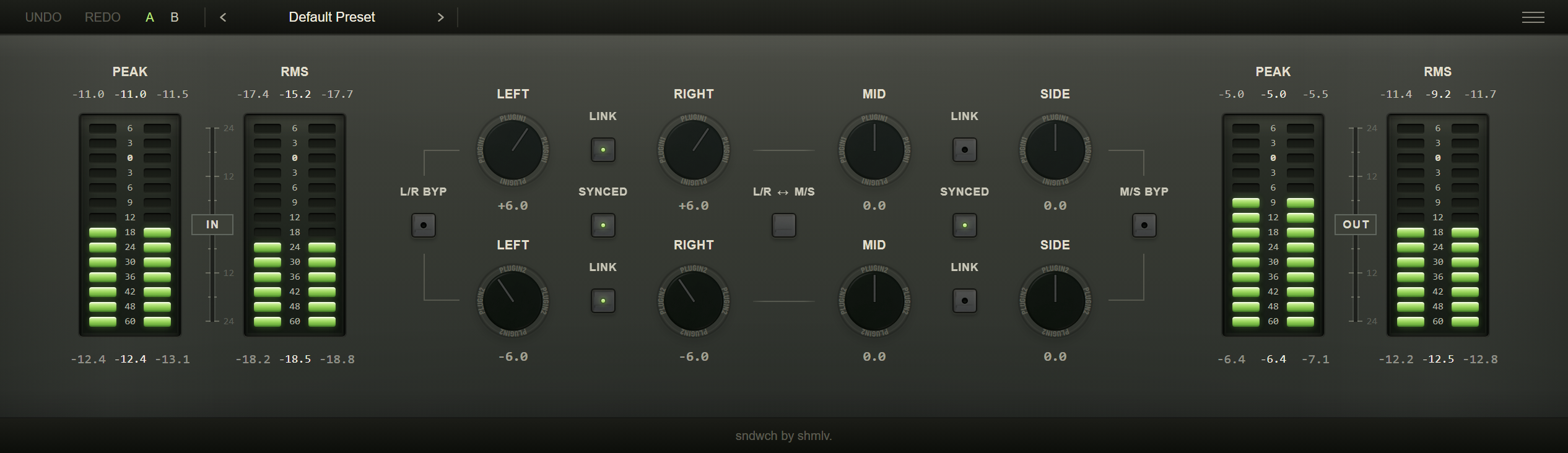
Open either instance and you get the same window. The top row is always the first plugin and the bottom row is always the second, in both of them. There is no main window, nothing to keep in step by hand, and no wrong one to open.

The meters

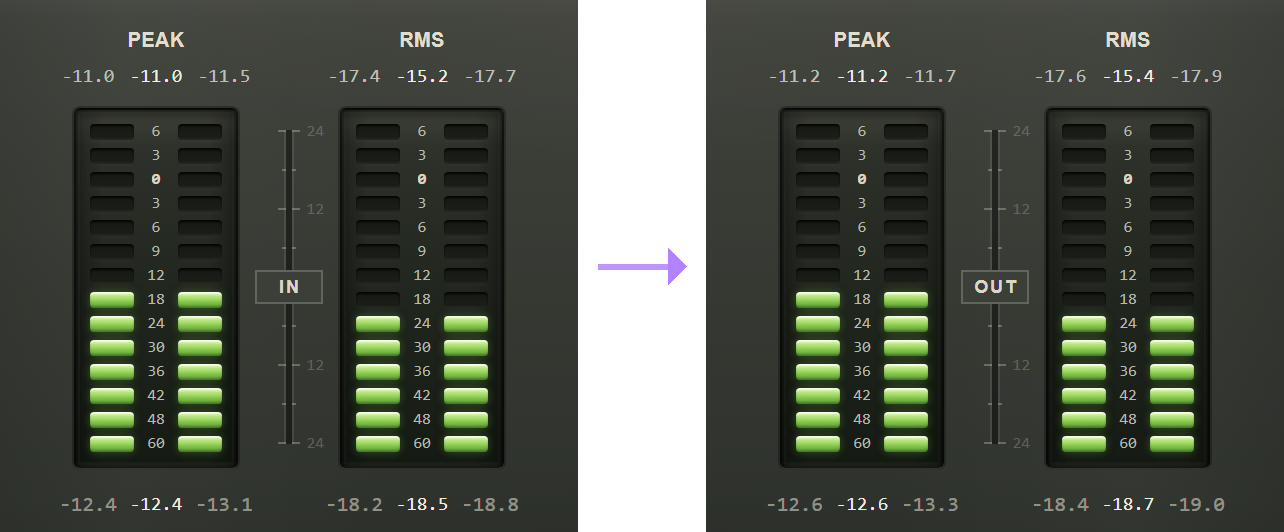
Two meter columns side by side: the signal going into the first plugin, and the signal coming out of the second.

With the pair connected, the meters on the left are the signal going into the first plugin and the ones on the right are the signal coming out of the second. That is the whole comparison, in two columns. Peak and RMS each carry three numbers: the left channel, both channels together, and the right channel. The row above the ladder is the loudest reading since it was last cleared. The row below is what is happening right now.

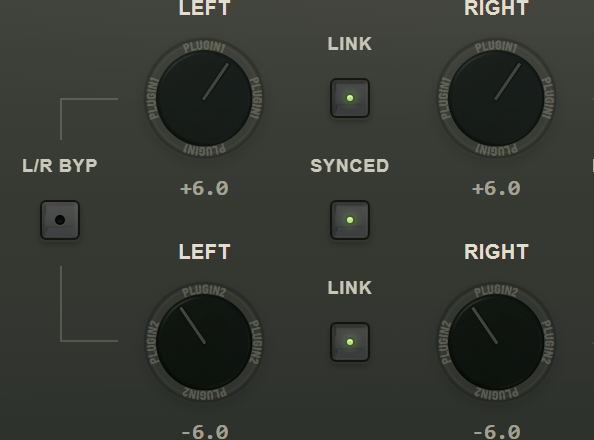
Two rows of left and right knobs, the upper marked plugin one and the lower plugin two, with link buttons between them.

Left and right

Four knobs in two rows. The top row belongs to the first plugin, the bottom row to the second. They never change places, and both windows draw both rows, so it makes no difference which of the two you have open. Link ties the two knobs of one row together so they move as a stereo pair.

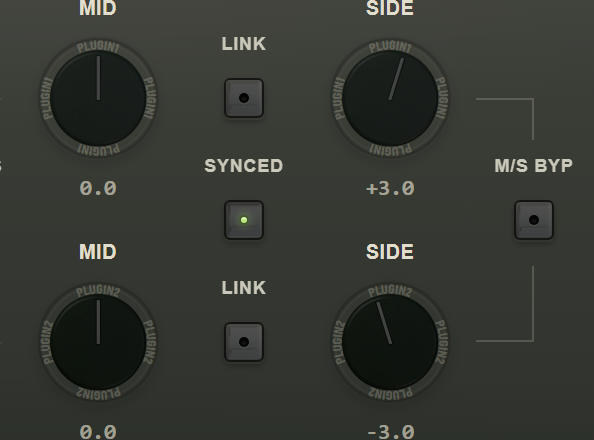
Two rows of mid and side knobs with link buttons between them.

Mid and side

The same arrangement again, for mid and side instead of left and right. Top row is the first plugin, bottom row the second, and link ties that row's pair. Reach for it when what you are chasing sits in the middle of the image or out at the edges rather than on one channel.

A button in the middle of the window labelled L/R to M/S.

L/R and M/S, and which comes first

sndwch has two blocks inside it: the left and right one, and the mid and side one. This button changes which of the two the signal meets first. Nothing is added or removed by pressing it, only the order changes.

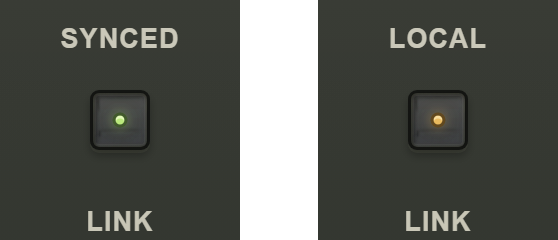
The same button twice: once reading Synced with a green light, once reading Local with an amber one.

Synced and Local

One button between the two rows, and there is one for the left and right chain and another for mid and side. Synced holds the two rows against each other: whatever you add on the first plugin is taken back off on the second, so the pair stays exact. Local lets them go, so you can set the two ends independently. Before a partner is found the same button reads Searching.

The letters A and B at the top of the window.

A and B

Two states held at once. Set something up on A, try a different idea on B, and flip between them without losing either one.

Requirements

Hosts
Any VST3 host
Systems
Windows 10 and 11, 64-bit
Formats
VST3 only. No VST2, AU or AAX.
Requires
The installer is not signed. Verify the SHA-256 hash before you run it. Windows only today. The macOS build is in progress.
Licence
One payment, kept for good. It covers three computers, and an activation can be moved.
Demo
7 days on each computer, from the same installer as the paid version. Reinstalling does not start it again.

Behaviour

Left, right, mid and side
Each half has its own gain for L and R, and for M and S. Link ties a pair of them together, or leave them apart and move one without the other.
Both halves in one window
The instance at the other end of the plugin mirrors its values into this one, so you can see what it is doing without switching windows.
Groups
A new pair picks a free group on its own — drop two instances and they simply connect. Several independent pairs run in one session without finding the wrong partner, and the menu lets you choose a group by hand when you want to decide who pairs with whom.
A/B snapshots
Store two states and switch between them. Useful, but not what the plugin is for.
Install, included files and questions